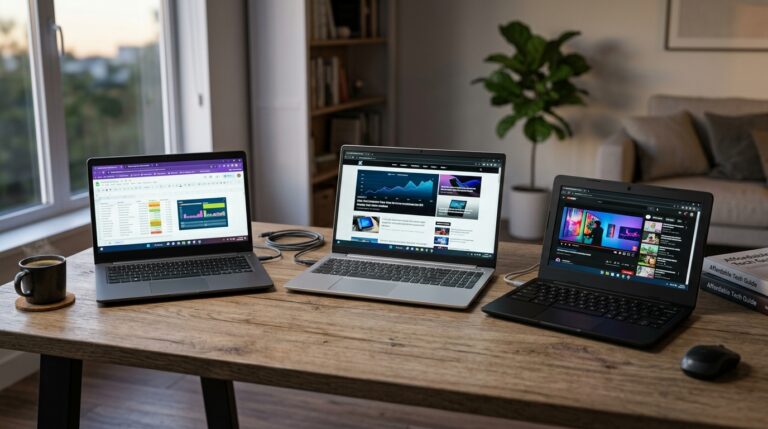
A school laptop has a harder life than almost any other computer. It gets dropped in a backpack, shoved between textbooks, and passed between students who don’t always treat it gently. The best laptops for schools and classroom use aren’t the fastest or the flashiest. They’re the ones that still boot up in May after eight months of daily punishment.
In practice, most districts and parents settle on three or four models again and again. Those picks share a few traits: long battery life, a spill-resistant keyboard, and a price low enough to buy 30 of them without blowing the whole technology budget.
What Makes a Laptop School-Ready
Specs on a box tell you very little about classroom survival. A 4K screen and a dedicated graphics card don’t matter if the hinge cracks in week three. Schools need machines built for a different set of demands.
Battery life is the first filter. A full school day runs six to seven hours, and many classrooms have more students than outlets. Look for a model rated at 10 hours or more so it survives a day of note-taking, testing, and a few rounds of browser-based learning games.
Durability comes next. The education-focused models from Lenovo, Dell, HP, and Acer go through MIL-STD-810H testing, which covers drops, vibration, and extreme temperatures. Consumer laptops rarely carry that rating.
Repairability matters more than most buyers realize. A school IT team that can swap a keyboard or battery in 20 minutes keeps a device in service for years. Glued-together ultrabooks often get retired early for one broken part.
The Specs That Actually Matter
You don’t need a powerful processor for Google Classroom, Schoology, or Microsoft 365. A modern Intel Core i3 or AMD Ryzen 3 handles that work fine. What you do need is enough memory.
8GB of RAM is the sensible floor in 2025. Browsers eat memory fast, and a student with 20 tabs open on a 4GB machine will feel every slowdown. Storage of 128GB works for cloud-first classrooms, but 256GB gives breathing room for video projects and offline files.
Screen size splits by age. Elementary students do better with 11-inch convertibles that survive clumsy handling. High schoolers writing essays and building spreadsheets want a 14-inch display.
The Best Laptops for Schools, Picked by Use Case
No single laptop wins for every classroom. A kindergarten cart and a high school coding lab need very different machines. These picks cover the main scenarios.
Best Overall for K-12: Lenovo 100e or 300e Chromebook
Lenovo’s education Chromebooks dominate US school fleets for good reason. The 300e Gen 4 has a rubberized frame, a spill-resistant keyboard, and a reinforced hinge rated for 360-degree flipping. It also carries MIL-STD-810H certification.
Battery life lands around 10 to 12 hours depending on the model. ChromeOS boots in under 15 seconds, which saves precious class time. At roughly $300 to $400 per unit, a school can outfit a full classroom for the cost of a dozen premium laptops.
Best for Teachers: Dell Latitude 3440
Teachers need a real keyboard, a decent webcam, and enough power for gradebooks, video calls, and document editing. The Dell Latitude 3440 fits that brief at around $600 to $700.
It runs Windows 11, which matters for schools tied to Microsoft Teams and district management tools. The 14-inch screen is comfortable for long work sessions, and Dell’s business support line responds faster than consumer channels. In practice, that downtime difference is what teachers notice.
Best Budget Pick: Acer Chromebook 314
If the budget is tight, the Acer Chromebook 314 delivers the basics for about $250 to $300. You get a 14-inch display, 8GB of RAM on most configurations, and a battery rated near 12 hours.
It skips the rugged frame, so it suits older students who can be trusted with their gear. Pair it with a $20 sleeve and it holds up well through a school year.
Best for STEM and Coding: HP ProBook 440 G10
Robotics clubs, coding classes, and engineering electives need Windows machines that can run Arduino IDE, Python environments, and CAD software. The HP ProBook 440 G10 handles that load with a 13th-gen Intel Core i5 and 16GB of RAM.
It’s heavier than a Chromebook at around 3.1 pounds, and it costs closer to $800. For a lab shared by 30 students, that investment pays off across four years.
Chromebook vs Windows vs iPad: Which Fits Your Classroom
The operating system choice shapes everything that follows, from device cost to how much IT support a school needs.
- Chromebooks: Cheapest to buy and manage, boot fast, and run browser-based tools well. Best for districts already using Google Workspace. Weak for offline software and heavy design work.
- Windows laptops: Run the full range of education software, including testing platforms and specialized STEM tools. Cost more and need more IT attention.
- iPads: Excellent for early literacy and creative apps. A keyboard case adds $100 or more, and multitasking still lags behind a laptop for essay writing.
A 2023 survey from the Consortium for School Networking found Chromebooks made up roughly 60 percent of new K-12 device purchases in the US. The main driver wasn’t performance. It was management cost, since one administrator can push settings to thousands of Chromebooks in minutes.
How to Buy School Laptops Without Wasting the Budget
Buying for a classroom is a different exercise than buying one laptop for one student. A few rules save schools real money.
Buy last year’s model when you can. The performance gap between a 2024 and 2025 education laptop is small, but the price gap often runs 20 to 30 percent. Districts that time purchases to clear out old inventory stretch budgets further.
Always price the warranty. A three-year accidental damage plan typically adds $50 to $90 per device, but it beats replacing $350 machines out of pocket. Lenovo, Dell, and HP all offer education-specific coverage that includes drops and spills.
Standardize on one or two models. Mixed fleets multiply charger types, spare parts, and training time. A single model means one set of spare batteries and one repair guide for the whole IT team.
Check These Before You Sign
- Battery rated for at least 10 hours
- 8GB RAM minimum, 16GB for STEM labs
- Spill-resistant keyboard and reinforced hinge
- MIL-STD-810H durability rating
- Replaceable battery and storage
- Three-year warranty with accidental damage coverage
- Ports for USB-A and HDMI, since classroom projectors still use them
What Schools Get Wrong About Laptop Buying
The most common mistake is chasing the lowest sticker price. A $199 laptop that dies in 14 months costs more than a $350 model that lasts four years. Total cost of ownership, not purchase price, is the number that matters.
Another frequent miss is skipping the trial phase. Districts that pilot 30 devices with real students before committing to 3,000 catch problems early. A hinge that fails under middle-school handling shows up fast in a pilot and never shows up in a spec sheet.
Finally, plan for the charger. Schools lose chargers at a remarkable rate. Buying a spare USB-C charger for every 10 devices costs little and prevents the daily scramble before first period.
Conclusion
For most K-12 classrooms, a Lenovo education Chromebook is the safest bet: rugged, cheap, and easy to manage. Teachers and STEM labs should look at the Dell Latitude 3440 or HP ProBook 440 G10 for Windows software support. Whatever you choose, prioritize battery life, durability ratings, and a repair-friendly design over raw speed. Those three traits decide whether a laptop survives to graduation.
Q: How much should a school laptop cost?
Most K-12 Chromebooks run $250 to $400 per unit, while Windows laptops for teachers and STEM labs cost $600 to $900. Budget another $50 to $90 per device for a three-year accidental damage warranty. Buying last year’s model often saves 20 to 30 percent without a meaningful performance loss.
Q: Is a Chromebook better than a Windows laptop for students?
Chromebooks win on price, boot speed, and management simplicity, which suits most K-12 classrooms using Google Workspace. Windows laptops are the better fit when students need offline software, testing platforms, or STEM tools like CAD and coding environments. Choose based on the software your school already relies on.
Q: How much RAM does a student laptop need?
8GB is the practical minimum in 2025. Browsers consume memory quickly, and students often keep many tabs open during research and online testing. Machines with 4GB feel sluggish within a year. For coding, video editing, or engineering classes, go with 16GB to avoid slowdowns.
Q: What battery life should I look for in a school laptop?
Aim for a rating of at least 10 hours. A typical school day runs six to seven hours, and many classrooms have more students than power outlets. Real-world battery life usually comes in below the advertised figure, so the extra headroom keeps a device running through a full day of classes.
Q: Why does MIL-STD-810H certification matter for school laptops?
MIL-STD-810H is a US military durability standard that tests devices against drops, vibration, dust, and extreme temperatures. Education models from Lenovo, Dell, and HP often carry it, while consumer laptops rarely do. That testing is a useful signal that a machine can handle backpack life and daily handling by students.
Article Was Generated By AI.